
Integration
Connect Email Octopus to Serey
Sync your Serey subscribers to your Email Octopus list and see everything from your Serey CMS dashboard.
Campaign History
See every newsletter campaign you have sent, right inside your Serey CMS dashboard.
List of Subscribers
Browse the full list of subscribers synced between Serey and Email Octopus.
New Subscribers by Date
Track subscriber growth over time without leaving Serey.
Open & Click Rates
Monitor engagement on your campaigns with open rate and click rate stats.
What You'll Need
A Serey Account
You need an active Serey account with access to your community CMS dashboard.
An Email Octopus Account
You need an Email Octopus account to generate an API key and manage your subscriber list.
Connect Your Account in 3 Steps
01
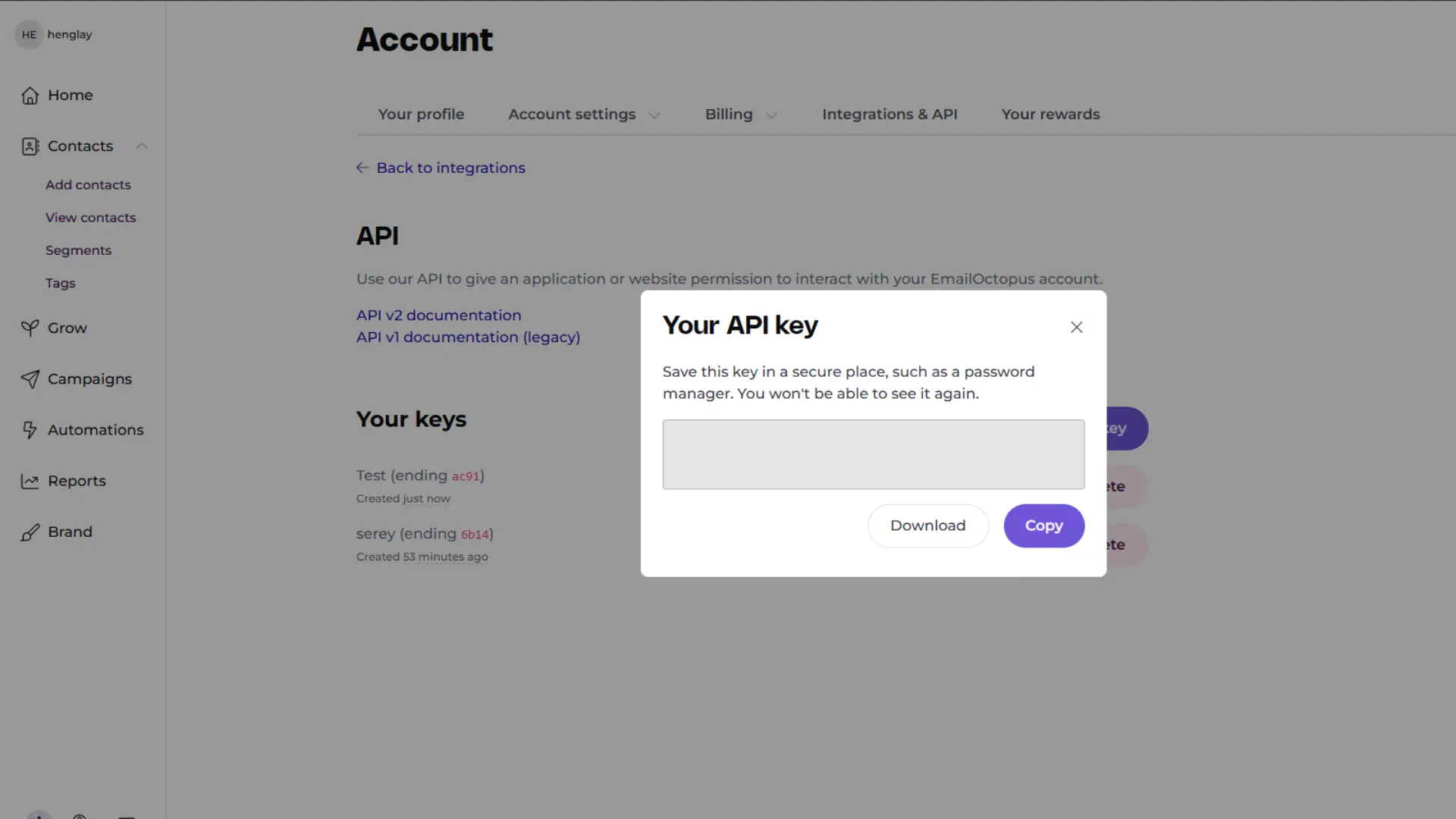
Get your Email Octopus API key
In Email Octopus, go to Account → API and create a new key. Copy it.
Preview
02
Add it to Serey
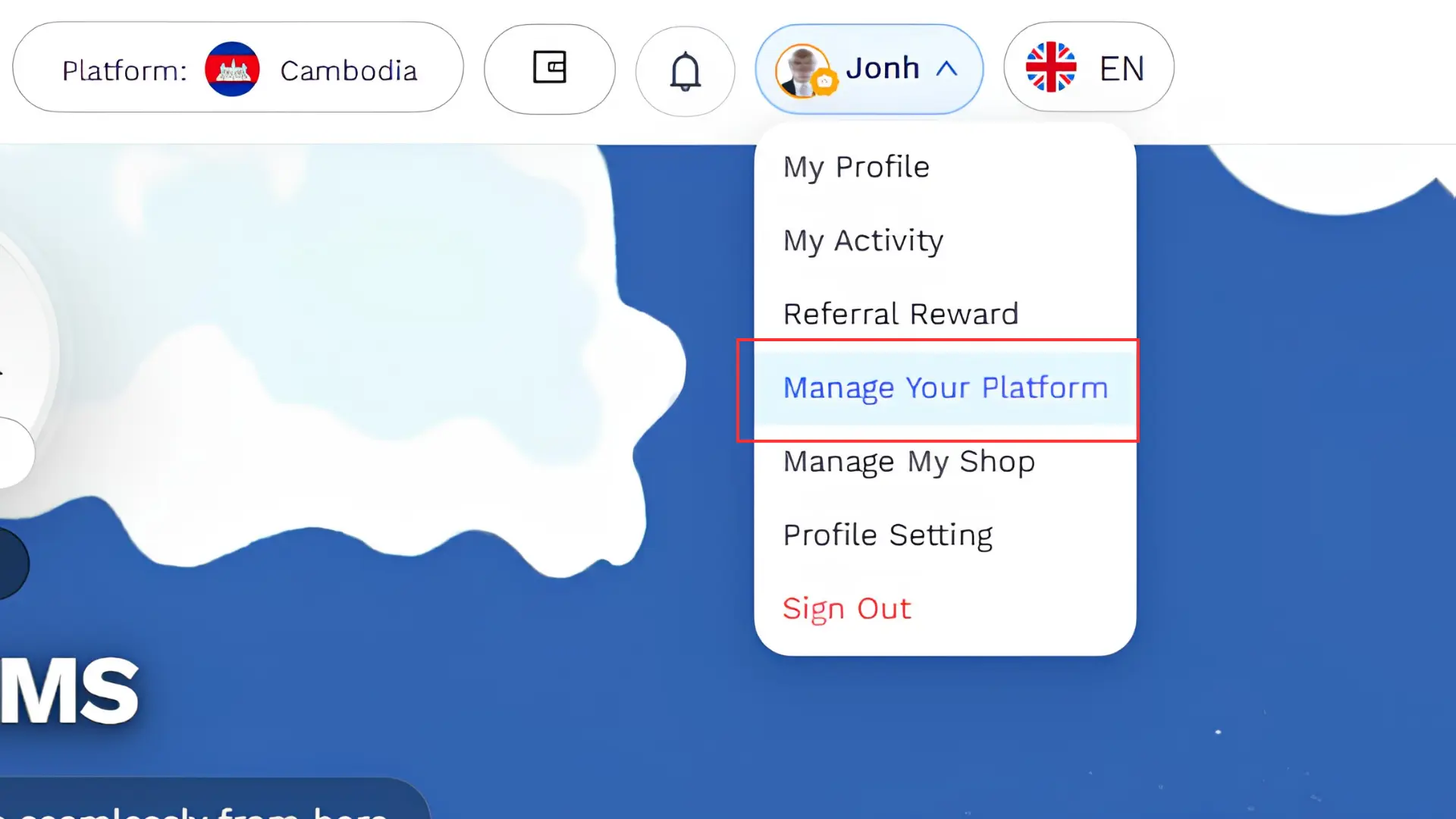
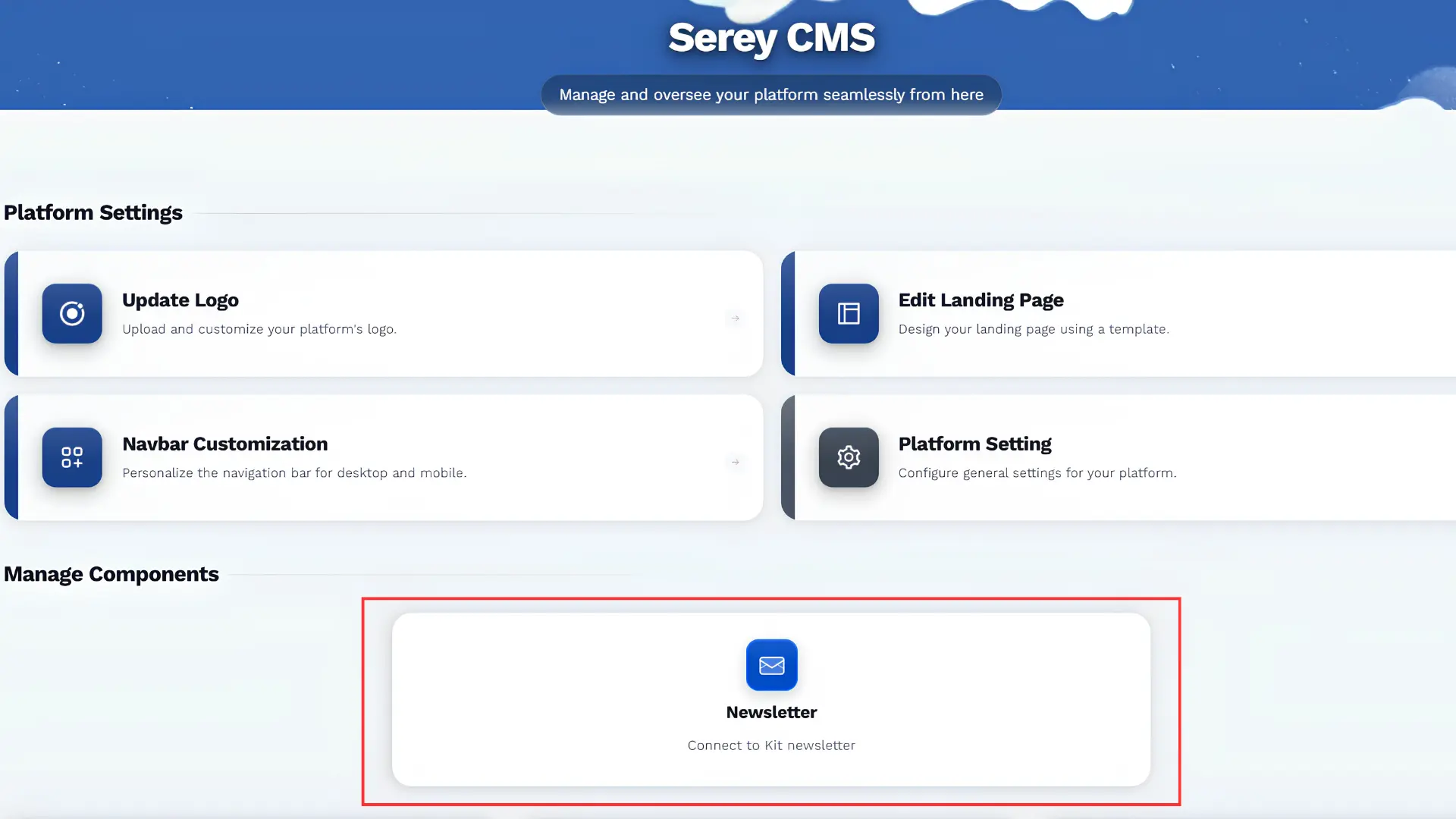
In Serey:
- Go to Manage Platform to open your CMS dashboard
- Click Newsletter
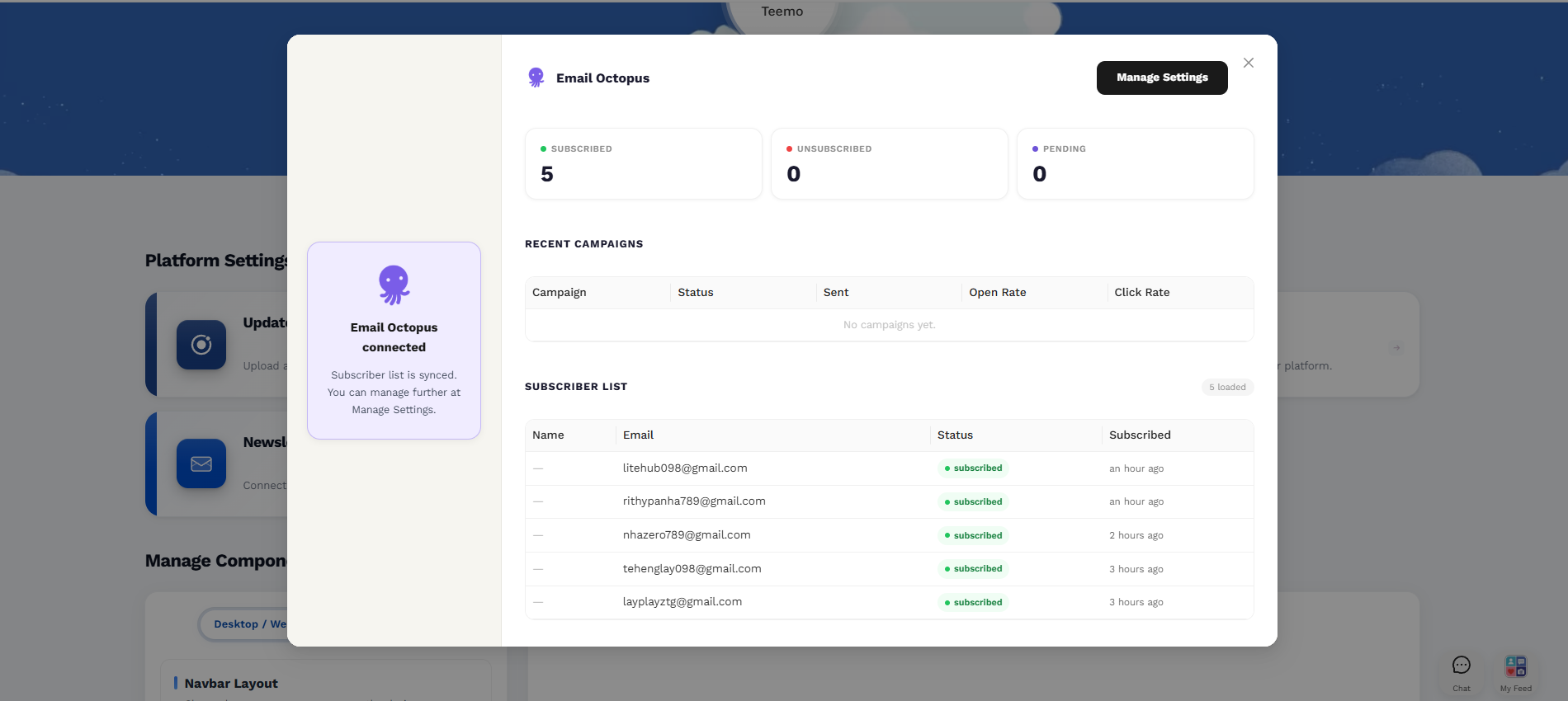
- Select Email Octopus
- Paste your API key and click Connect
Preview
Preview
Preview
03
You're connected
Your subscribers on Serey and elsewhere will start syncing automatically with Email Octopus. You'll see all your subscriber information, newsletter history, open rates, and click rates — all from your Serey CMS dashboard.